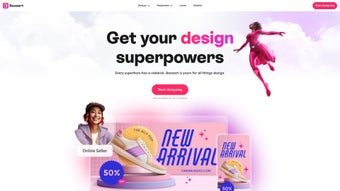

Download Bazaart – Free Design Tool, Photo Editor, AI Templates
Overview
Bazaart is a robust, subscription‑based design platform that lives entirely in the browser, making it instantly accessible on any device with an internet connection. Whether you need to craft eye‑catching Instagram stories, polish product photos for an e‑commerce store, or produce a sleek logo for a new brand, Bazaart equips you with a full suite of creative tools. Its AI‑driven background removal and photo‑blending capabilities let even beginners achieve professional‑grade results in minutes, while seasoned designers appreciate the depth of layer controls and vector‑ready export options.
The platform also includes a constantly refreshed library of curated templates, graphics, fonts, and stock media, which shortens the design cycle for busy marketers, online sellers, and content creators. Because it runs as a web app, Bazaart sidesteps the hassle of constant software updates—every new feature or bug fix is rolled out automatically, ensuring you always work with the latest version. Security is baked in; all assets are stored in encrypted cloud storage, and the subscription model guarantees regular maintenance and feature enhancements.
In short, Bazaart blends the flexibility of a desktop design suite with the convenience of a cloud‑first approach, positioning itself as a go‑to solution for anyone looking to produce high‑impact visual content quickly and securely. The seamless integration of AI, an ever‑growing template library, and real‑time collaboration makes it stand out in a crowded market of design tools.
Core Features that Power Your Creativity
- AI‑Powered Background Removal – Instantly isolate subjects with one click.
- Photo Blending & Layering – Combine multiple images, adjust opacity, and apply blend modes for artistic effects.
- Extensive Template Library – Hundreds of pre‑designed layouts for social media, ads, banners, and more, refreshed weekly.
- Logo & Brand Kit Builder – Create vector‑ready logos, define brand colors, and store assets for consistent branding.
- Video Editing Essentials – Trim, splice, and overlay graphics on short video clips directly in the browser.
- Rich Asset Marketplace – Access premium photos, videos, illustrations, icons, and fonts without leaving the app.
- Collaboration Tools – Share editable links with teammates, leave comments, and co‑edit in real time.
- One‑Click Export – Export projects in PNG, JPG, SVG, or MP4 formats, optimized for web or print.
- Secure Cloud Storage – All projects are saved automatically to an encrypted cloud, with version history.
- Cross‑Device Sync – Seamlessly continue work on desktop, tablet, or smartphone browsers.
Each feature is designed with a focus on speed and usability. For example, the AI background remover learns from each edit, improving accuracy over time, while the template library is categorized by industry, making it easy for an online seller to find a ready‑made product mockup in seconds. The collaboration suite eliminates the need for external file‑sharing services; teammates can view, edit, and approve designs without leaving Bazaart.
The video editing essentials allow creators to add motion graphics or simple captions without switching to a dedicated video editor, which is a huge time‑saver for social media marketers. Moreover, the asset marketplace curates high‑quality stock content that integrates directly into your canvas, removing the friction of sourcing royalty‑free media elsewhere. All of these tools work together to create a workflow that feels both powerful and intuitive, reducing the learning curve for newcomers while still offering depth for seasoned designers who demand fine‑grained control over every pixel.
Installation & Usage – Get Started in Minutes
How to Install
Because Bazaart is a web‑based application, there is no traditional installation process. Simply navigate to Bazaart.com, click the “Sign Up” button, and choose the subscription tier that fits your needs. After confirming your email, you’ll be directed to the dashboard where you can start creating immediately. For users who prefer a shortcut, Bazaart offers progressive web‑app (PWA) support: click “Add to Home Screen” on Chrome, Safari, or Edge, and the app will behave like a native program, complete with offline caching for basic editing. The PWA also enables push notifications for new template releases, so you never miss a fresh design asset.
First‑Time Usage
Upon logging in, you’ll see a clean workspace with a left‑hand panel for assets, a central canvas, and a right‑hand toolbar for adjustments. Begin by selecting a template or uploading your own image. The AI background remover can be activated from the toolbar; simply outline the subject, and Bazaart will isolate it in seconds.
To add text, choose from the extensive font library, adjust kerning, and apply effects such as shadows or outlines. Layer management works just like in desktop software—drag layers up or down, lock them, or group them for complex compositions. For video projects, drop a short clip onto the timeline, trim it using the built‑in scrubber, and overlay animated stickers from the marketplace.
When you’re satisfied, click “Export” and select your desired format and resolution. Because the platform is cloud‑based, you can also generate a shareable link that grants view‑only or edit permissions, streamlining feedback cycles with clients or teammates.
Compatibility Across Platforms
Bazaart runs on any modern browser, making it compatible with Windows 10/11, macOS Ventura and later, Chrome OS, as well as mobile browsers on Android 8+ and iOS 13+. The PWA version ensures a native‑like experience on smartphones and tablets, while desktop browsers benefit from larger screen real‑estate for detailed design work. Because everything is cloud‑based, your projects are instantly available on any device you log into, eliminating the need for manual file transfers. The platform also supports hardware acceleration on supported devices, which helps keep performance smooth even when working with high‑resolution assets or multi‑layer compositions.
Pros & Cons – What to Love and Where It Falls Short
Pros
- Instant access – No download required; works directly in the browser.
- AI‑driven tools speed up routine tasks like background removal.
- Huge, regularly updated template library reduces design time.
- Cross‑device sync ensures you can work from anywhere.
- Secure cloud storage with automatic version history.
- Collaboration features eliminate the need for external sharing apps.
- Progressive Web App delivers offline editing for quick tweaks.
- Integrated asset marketplace saves time searching for royalty‑free media.
Cons
- Subscription cost may be a barrier for hobbyists on a tight budget.
- Performance depends on internet speed; heavy projects can lag on slower connections.
- Limited offline capabilities compared to fully installed desktop suites.
- Advanced vector editing is less powerful than dedicated programs like Adobe Illustrator.
- Some premium assets require additional purchase beyond the subscription.
Frequently Asked Questions (FAQ)
Is Bazaart really free to try?
Bazaart offers a 7‑day free trial that gives you full access to all premium features, including AI tools and the template library. No credit card is required to start the trial.
Can I export designs with transparent backgrounds?
Yes. When you export as PNG, you can choose the “transparent background” option, which is perfect for logos and overlays.
How secure is my data stored in Bazaart’s cloud?
All assets are encrypted both in transit (TLS) and at rest (AES‑256). Bazaart follows GDPR and CCPA compliance standards to protect user privacy.
Does Bazaart work on older browsers like Internet Explorer?
No. Bazaart requires a modern browser that supports WebGL and Service Workers, such as Chrome, Edge, Safari, or Firefox.
Can I integrate Bazaart with other marketing tools?
Bazaart provides direct export links to popular platforms like Instagram, Facebook, and Shopify, and it also supports Zapier integrations for automated workflows.
Bazaart stands out as a cloud‑first design powerhouse that delivers fast, AI‑enhanced results without the bloat of traditional desktop software. Its biggest strengths are the ever‑growing template library and the seamless cross‑device experience, which make it ideal for marketers, e‑commerce sellers, and social media creators who need to publish high‑quality visuals on a tight schedule. While the subscription price may deter occasional hobbyists, the productivity gains and security benefits justify the cost for professionals.
Conclusion – Should You Download Bazaart?
If you’re searching for a versatile, secure, and constantly updated design platform that works on Windows, Mac, Android, and iOS browsers, Bazaart checks all the boxes. Its AI‑driven tools eliminate tedious manual work, the template library accelerates the creative process, and the cloud‑first architecture ensures you always have the latest features without dealing with updates. For freelancers, online sellers, and social media teams, the subscription model offers predictable budgeting and regular enhancements that keep your visual content fresh.
The progressive web‑app version even lets you edit on the go, making it a reliable companion for field marketers or traveling creators. While the price point may be a consideration for casual users, the time saved, professional output quality, and peace of mind from secure cloud storage often outweigh the cost. Ready to boost your design workflow?
Download Bazaart today and start your free trial—experience professional‑grade graphics without the steep learning curve.



.png)



